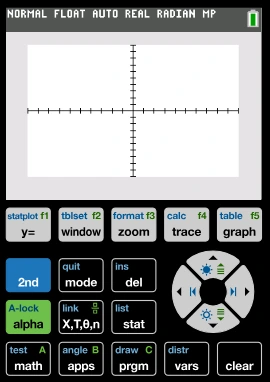
The TI-84 has been the gold standard calculator for students and educators for more than two decades. But today, a high quality browser based alternative exists and for most everyday use, it is simply the best option. This page breaks down every meaningful difference between the physical TI-84 Plus / TI-84 Plus CE and the TI 84 Calculator Online at ti84onlinecalc.com, so you can decide which one fits your situation.
Whether you are a student preparing for an exam, a teacher creating classroom materials, or a professional who needs a quick graph for a business report, this comparison will tell you exactly which tool to reach for.
At a Glance
Physical TI-84 Plus / CE
A dedicated hardware calculator; reliable, exam approved, and battery powered. Best when internet access is unavailable or when standardized tests require it.
TI-84 Online Calculator
A full featured browser calculator; free, instant, works on any device, and also capable of producing exportable graph images. Best for studying, homework, research, and professional work.
Quick Verdict
For most of the situations; studying, assignments, presentations, and research, the online version wins on every practical measure. Keep the physical one for exam day.
Full Feature Comparison Table
| Feature | 🖩 Physical TI-84 Plus / CE | 💻 TI-84 Online Calculator |
|---|---|---|
| Price | $100 – $130 USD | Completely Free WIN |
| Setup / Installation | Unboxing, batteries, setup menus | Open browser → ready instantly WIN |
| Account / Sign-Up Required | ✔ Not needed | ✔ Not needed TIE |
| Display Size | Small LCD (96×64 or 320×240 CE) | Full browser canvas — much larger WIN |
| Display Color | Grayscale (Plus) / Color (CE) | Full color, high-contrast WIN |
| Multi-Function Plotting | ✔ Yes | ✔ Yes TIE |
| Graph Export (PNG/Image) | ✘ Requires extra cable/software | ✔ One-click PNG download WIN |
| Works on Phone / Tablet | ✘ Hardware only | ✔ Any device with a browser WIN |
| Works Without Internet | ✔ Fully offline WIN | Requires internet connection |
| Allowed in SAT / ACT / AP Exams | ✔ Exam approved WIN | ✘ Not permitted in closed exams |
| Trigonometric Functions | ✔ sin, cos, tan + inverses | ✔ sin, cos, tan + inverses TIE |
| Hyperbolic Functions | ✔ sinh, cosh, tanh | ✔ sinh, cosh, tanh TIE |
| Statistical Analysis | ✔ 1-Var, 2-Var, Regression | ✔ 1-Var, 2-Var, Regression TIE |
| Hypothesis Testing / Inference | ✔ Z-test, T-test, Chi-square | ✔ Z-test, T-test, Chi-square TIE |
| Parametric & Polar Graphing | ✔ Yes | ✔ Yes TIE |
| Memory / Storage | Limited RAM (24KB–154KB) | No limits — loads fresh every session WIN |
| Processing Speed | Moderate (dedicated chip) | Fast (modern browser engine) WIN |
| Battery / Power | Requires AAA batteries or charging | No battery needed WIN |
| Software Updates | Rare OS updates via computer | Continuously updated online WIN |
| Portability (no device needed) | ✔ Fully standalone WIN | Needs a phone, tablet, or laptop |
| Durability Risk | Can be lost, broken, or stolen | Nothing to lose or break WIN |
| Number Theory Functions (nCr, nPr, GCD) | ✔ Available | ✔ Available TIE |
| Base Conversion / Bitwise Ops | ~ Limited | ✔ Full B-Panel built in WIN |
| Use in Thesis / Reports | Graph photos only — low quality | Clean PNG export ready to insert WIN |
Performance Score by Category
Scores out of 10 based on practical usability for students, educators, and professionals in everyday (non-exam) situations.
Who Should Use Which?
| Situation / Use Case | Best Tool | Reason |
|---|---|---|
| 📝 SAT, ACT, AP, IB Exam Day | Physical TI-84 | Online tools are not permitted in proctored exams |
| 📚 Daily Homework & Assignments | Online Calculator | Faster to open, free, works on any device you already have |
| 🎓 University Thesis / Research Paper | Online Calculator | Export clean PNG graphs directly into your document |
| 👩🏫 Classroom Teaching & Presentations | Online Calculator | Display on a projector, screenshot graphs for slides |
| 📈 Business Reports & Data Visualization | Online Calculator | Professional PNG output, no copyright restrictions |
| 🏕️ No Internet / Field Work | Physical TI-84 | Works completely offline with just batteries |
| 💻 Studying at Home or Library | Online Calculator | Open in a browser tab alongside your notes and textbook |
| 📐 AP Statistics / Hypothesis Testing | Either (exam: Physical) | Both support full inference procedures; use online to practice, physical on exam day |
| 💻 Computer Science / Binary Conversions | Online Calculator | Built-in B-Panel with full base conversion and bitwise operations |
| 🔬 Physics / Engineering Calculations | Either | Both handle scientific notation, trig, and complex functions equally |
| 👶 First-Time Calculator Users | Online Calculator | Larger display, no cost, easy to start without investing in hardware |
Detailed Category Breakdown
- Physical TI-84 costs $100–$130 — a significant expense for students
- Online version is permanently free with no hidden fees
- No subscription, no account, no payment of any kind
- Works on any device you already own — laptop, phone, or tablet
- TI-84 Plus has a small 96×64 grayscale screen — limited readability
- TI-84 Plus CE has a 320×240 color screen — much better
- Online version uses the full browser window — far larger than any hardware screen
- High contrast digital display — easier to read curves and labels
- Physical calculator: requires a USB cable and TI Connect software to extract graphs
- Even then, image quality from physical devices is often poor
- Online tool: one-click PNG download — high resolution, no watermark
- Exported graphs can be placed directly into Word, LaTeX, PowerPoint, or Google Docs
- Physical TI-84 works without any internet connection — ideal for field use
- Approved for SAT, ACT, AP, IB, and most standardized exams
- Online calculator requires a browser and internet — cannot be used in closed exams
- For exam prep and practice at home, the online version is perfect
- Physical TI-84 uses a dedicated Z80-based processor — functional but dated
- CE model is faster, but still noticeably slower than modern devices
- Online calculator runs on your device’s browser engine — far faster rendering
- Complex multi-function graphs render almost instantaneously online
- Both cover trig, hyperbolic, log, exponential, and statistical functions
- Both support parametric and polar graphing modes
- Both include full inference testing (Z-test, T-test, chi-square)
- Online version adds base conversion and bitwise operations via the B-Panel
Frequently Asked Questions
Is the Online TI-84 Calculator as accurate as the physical one?
Yes. Both use the same mathematical functions and follow the same order of operations. The online version runs on modern hardware, which actually handles floating-point arithmetic more precisely than the physical calculator’s older processor in many cases.
Can I use the Online Calculator for my AP exam practice?
Absolutely. It covers every function tested in AP Calculus, AP Statistics, and AP Physics — including inference tests, regression, and parametric graphing. Just remember that on the actual exam day, you will need to use your physical TI-84, so it is good to practice with both.
Do I need to create an account to use the Online Calculator?
No. There is no sign-up, no login, and no personal information required. Simply open the page at ti84onlinecalc.com/ and start using it immediately.
Can I download the graphs I make online?
Yes. The online tool includes a one-click PNG download feature. Your graph is saved as a clean, high-resolution image file with no watermarks, ready to be inserted into any document or presentation.
Is the TI-84 Online Calculator free forever?
Yes. The tool at ti84onlinecalc.com is free to use with no subscription fees, no trial period, and no premium tier. All features are available to everyone at no cost.
Will this online calculator work on my phone?
Yes. The tool is fully responsive and works on smartphones, tablets, laptops, and desktop computers. Any device with a modern web browser can run it without issues.
Does the online calculator support complex numbers?
Yes. Through the MODE settings, you can switch between Real, a+bi, and re^θi display modes for working with complex number arithmetic and expressions.
Final Verdict: Online Calculator Wins for Everyday Use
For studying, homework, research, teaching, and professional work — the free online calculator at ti84onlinecalc.com outperforms the physical TI-84 on cost, display quality, speed, accessibility, and output quality. The only situation where the physical calculator wins is inside a proctored exam room. Keep one for exam day, and use the online version for everything else.
▶ Try the Free Online Calculator Now